Guide
How to publish an ebook on Amazon KDP
Amazon Kindle Direct Publishing (KDP) is Amazon’s self-publishing service for Kindle ebooks. Here is what its form asks for, the rules behind each field, and how EbookForge prepares a book for it.
What you need before you start
- A manuscript file. KDP takes EPUB, DOCX, KPF and other formats. It does not require EPUBCheck; Amazon recommends checking the book in Kindle Previewer.
- A cover image: JPEG or TIFF, RGB, under 50 MB, ideally 1600 x 2560 px.
- A title and a subtitle that match the cover, under 200 characters together.
- A description, the seven keyword slots and the categories.
The steps in KDP
- Sign in at kdp.amazon.com and create a new Kindle eBook.
- Copy the title, subtitle, author and description from the KDP page.
- Fill the 7 keyword slots and pick the suggested categories.
- Upload the EPUB as the manuscript and the cover image.
- Choose your price and royalty plan, then publish.
KDP counts at most 2 new titles per format per week, at the first submission, and resets the count on Sunday at 00:00 UTC.
Rules for the title, the description and the keywords
- The title must match the cover. Keep out repeated generic keywords, other titles, authors or trademarks, words like "bestselling" or "free", placeholders and HTML.
- The description carries no URL, email, phone number, reviews, ads, time-sensitive information, price or availability.
- Keywords name no other authors, no sales rank and no promotions. Pick at most 3 categories, none of them misleading.
Guide: KDP keywords and categories, explained. How to fill the keyword slots and check each keyword.
Royalties at a glance
- 70% royalty applies to list prices between $2.99 and $12.99 on Amazon.com; each marketplace has its own band in its currency.
- 35% royalty applies outside that range.
- The suggested price is a fixed starting point ($2.99), not a market estimate.
Guide: Pricing an ebook on KDP: the royalty bands. The band in each marketplace, and what lowers a royalty.
The AI question
Amazon requires you to disclose AI-generated content when you publish. Answer that question truthfully in KDP.
KDP’s content guidelines ask you to disclose AI-generated text, images or translations, even when you applied substantial edits afterwards. A book you wrote yourself and only edited with AI tools (AI-assisted) needs no disclosure.
Guide: AI disclosure on Amazon KDP and the other stores. What KDP and the other stores ask about AI.
Quality rules that keep a book off the store
- Free web content, or content not significantly different from another book.
- Bonus content placed before the main content, excessive repetition, formatting errors, broken links, and metadata that does not match the book.
- Companion guides (summaries, study guides, analyses of other books) are not allowed, with limited exceptions.
- Content that is mainly advertising.
How EbookForge prepares it
The KDP page prepares everything you paste into Amazon: title, subtitle, author, a description, the 7 keyword slots, categories and a suggested price. Publishing itself happens in your own KDP account; nothing is sent to Amazon for you.
Open the KDP guide
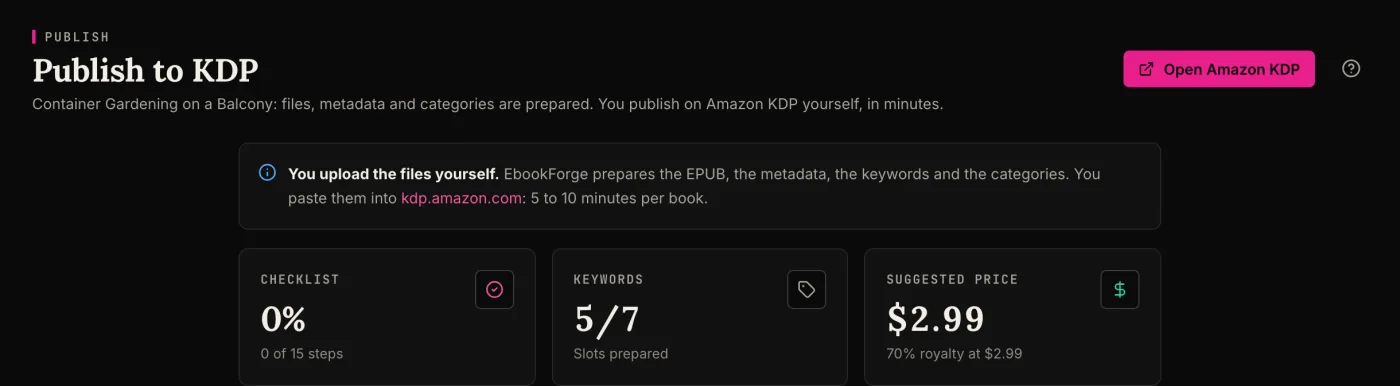
Press KDP guide on the book page to open Publish to KDP. The top of the guide shows three tiles, Checklist (steps done out of 15), Keywords (slots prepared out of 7) and the Suggested price; Open Amazon KDP opens your bookshelf in a new tab.
Generate and copy the description
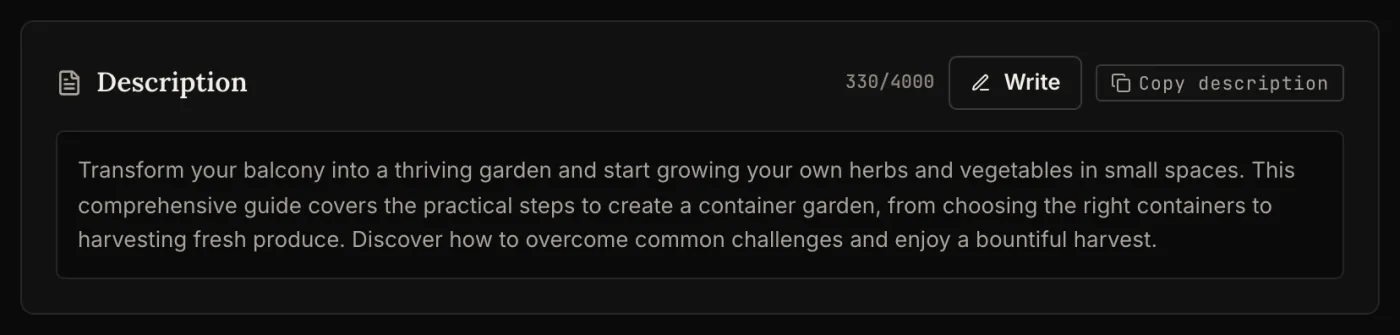
The Description card holds the blurb (up to 4000 characters, the KDP limit, with the count shown). Write writes a new one of 150 to 300 words from the book; Copy description copies it for the KDP form.
Fill the seven keyword slots
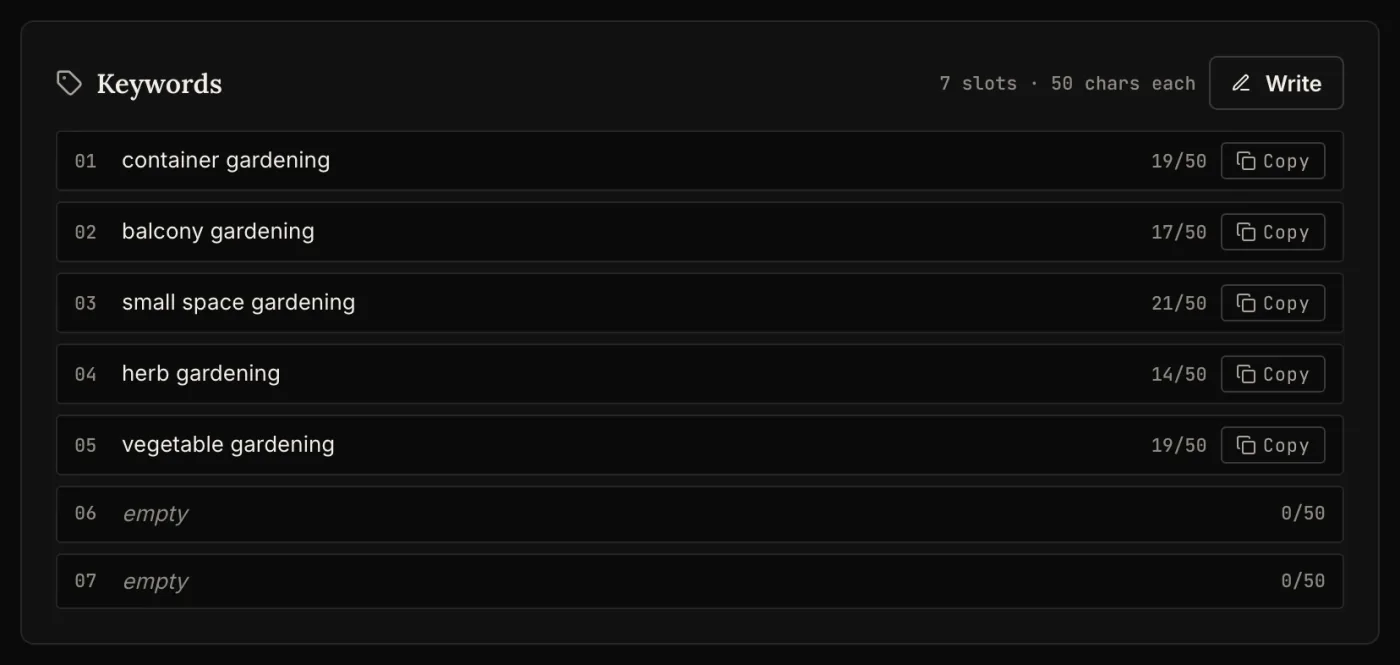
The Keywords card shows the seven slots KDP offers (50 characters each), with a Copy button per slot and the count of characters used. Write proposes seven from the book. Type each one into the Amazon search bar before you commit: the suggestions are AI estimates, not Amazon search data.
Sources
The store rules above are as the stores’ own pages stated them on Nov 15, 2026. Stores change their rules: check the page before you rely on it. The EbookForge steps come from our help center.